Build an anatomy revision map that stays readable
Line MindMap · · Study workflow
Organize a region into useful branches, keep detail in notes, and turn the map into a self-testing routine.
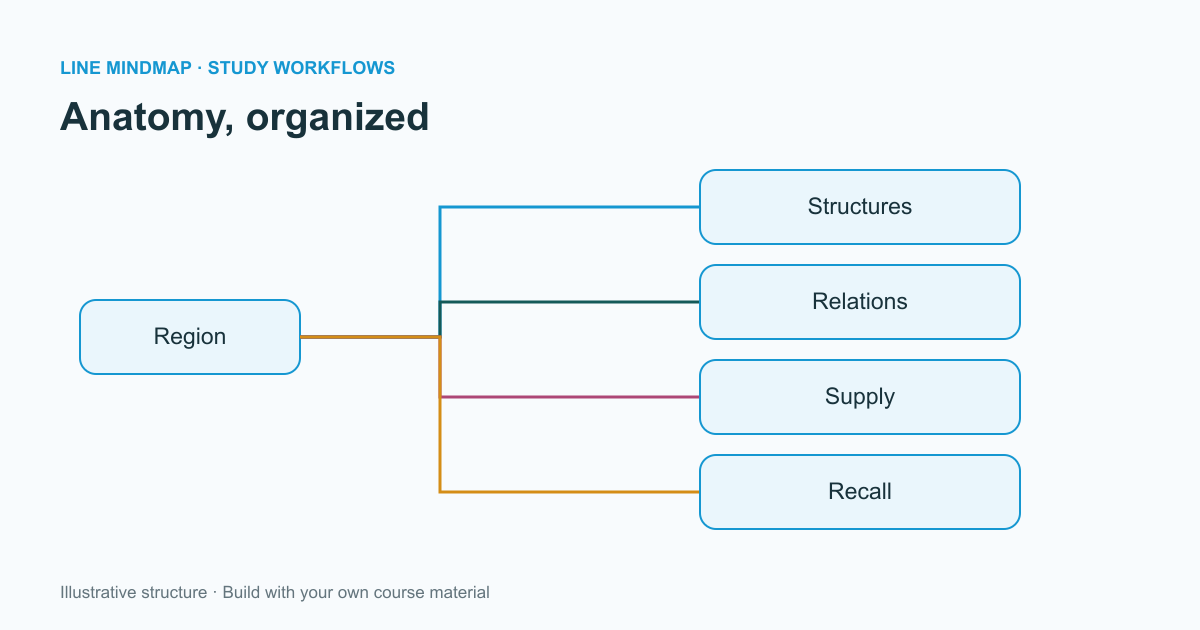
An anatomy topic can quickly become a long list of names. A map gives that list an organizing question: what belongs together, and which relationships do I need to explain? In Line MindMap, begin with a region or a single structure as the central topic. Keep the scope small enough that you can review the whole map without losing your place.
Start with a consistent structure
Create branches for the categories relevant to your course: structures, relations, supply, function, and questions to revisit. These are organizing prompts, not a substitute for the terminology or detail in your anatomy text. A map of a region and a map of one muscle may need different categories.
- Name the central topic precisely.
- Add a small set of category branches.
- Use short labels for the information you want to recall.
- Put longer explanations and textbook page references in notes.
Make relationships visible
Use the position of branches to group related ideas. If a branch belongs elsewhere, drag it directly onto its new parent. The target highlight identifies a possible attachment; release over the target to move the whole branch. Moving through open space simply changes its position, which lets you improve spacing without accidentally changing the hierarchy.
Color can help distinguish categories, but do not make color the only way to understand the map. Give every branch a meaningful label. Someone viewing a grayscale printout should still be able to follow the organization.
Add images with a purpose
An image is most useful when it answers a specific spatial question. Use your own drawing or material you have permission to reuse, and record its source in the notes. Avoid shrinking a complex atlas plate until its labels become unreadable. A focused image beside a short explanation is easier to review than several crowded screenshots.
Turn the map into recall practice
Collapse a branch, explain its contents aloud, and then reopen it to compare your answer with your notes. Mark unclear relationships as questions instead of filling them with guesses. Check those questions against your course material before exporting the map for revision.
Export a PNG for a quick visual review, SVG when you want a scalable diagram, or use the PDF option to print. Keep an editable backup as well: a picture preserves the appearance, while the working document preserves the structure you can revise later.